

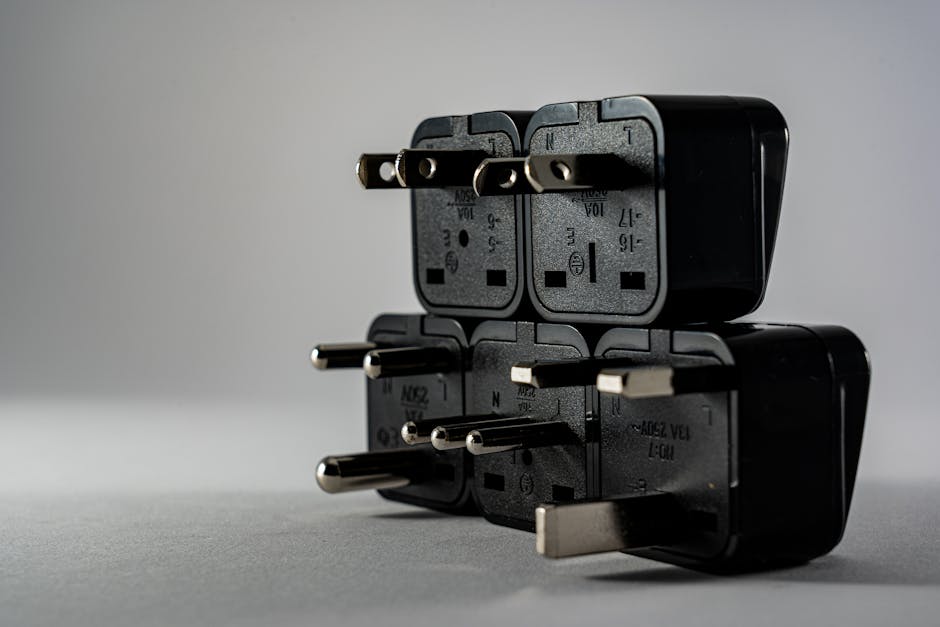
International plug shapes are only half the story. To use your electronics safely abroad, you need to match (1) the plug type, (2) the electricity your device expects, and (3) the safety features of the outlet—especially grounding.
Voltage vs Wattage: What Your Device Label Is Really Telling You
Before you buy anything, look at the power details on your device (often on the charger brick, cable controller, or the device itself). This prevents the common mistake of assuming that “the plug fits” means “it’s safe to use.”
Voltage (V) — the key compatibility number
Voltage is the “push” of electricity. If your device is designed for one voltage (for example, 120V only), plugging it into a country with a different voltage (like 230V) can overheat it.
What to look for on the label:
- Input: “Input: 100–240V” usually means the charger can handle a wide range. In that case, you typically need only the correct adapter for the plug shape (not a converter).
- Single-voltage units: “Input: 120V” or “Input: 230V” means you need the matching voltage from either the destination’s supply or a converter/transformer.
Wattage (W) — why it affects converters
Wattage indicates how much power a device draws when running (or charging). Converters/transformers are rated for a wattage output, so you must ensure the device’s draw is within that rating.
Two practical rules:
- Pick a converter rated for more than you need. If a hair tool draws close to the converter’s maximum, the converter can run hot and fail.
- Watch surge loads. Some devices (like heating elements or certain motors) may briefly draw more power at startup than the label’s steady rating.
Frequency (Hz) — usually less critical, but still worth checking
Some labels include “50/60Hz.” For most modern chargers, frequency is handled internally, and voltage is the main concern. Still, if a device explicitly lists limited frequency support, treat that as a compatibility constraint.
Adapter vs Converter: What They Do (and Don’t Do)
A travel adapter and a converter do different jobs. Mixing them up is where safety issues start.
Adapter: changes the plug shape only
A travel adapter lets your plug physically fit the outlet. It does not change voltage.
Converter: changes voltage so your device can run safely
A voltage converter (often a transformer-based device) steps voltage up or down to match what your device expects.
Quick guide: which one do you need?
- If the device charger says “100–240V”: usually you only need a plug adapter.
- If the device is single-voltage (e.g., “120V” only): you need a converter/transformer (or you should use a destination-compatible alternative).
- If it’s high-watt (heaters, hair styling tools): use the correct watt-rated converter/transformer, or skip it if a safe match isn’t practical.
Grounding and Earthing: The Safety Step People Skip
Many safety problems come from improvised connections, not from the voltage number alone. If your device or outlet is grounded, treat that as a safety feature—not an optional extra.
Look for grounded plugs (three-prong) and earthed outlets
If your charger cable or appliance has a three-prong grounded plug, don’t remove the ground. A converter or adapter that doesn’t maintain the ground connection can leave the metal parts of the device at risk.
Avoid “cheater” adapters that lift grounding
In some countries, you’ll find inexpensive plug adapters that convert two-prong to two-prong. They may fit, but they can defeat grounding for devices that require it.
When grounding matters most:
- Devices with metal bodies or exposed conductive parts
- Appliances with heating elements
- Anything where the charger cord is designed as grounded
Use protection where possible
Outlets in some accommodations may not have reliable protection. If you’re traveling somewhere where outlets are older or wiring quality varies, consider using a power strip with built-in protection (where compatible with local outlet type). This is especially useful for charging multiple low-watt devices.
Matching Your Device: A Simple Checklist by Device Type
Use this as a fast “do I need an adapter, a converter, or a different approach?” check. Always verify the label on the specific charger or appliance you’re packing.
- Phone and tablet chargers (often 100–240V): pack a plug adapter; no converter needed if input supports the destination voltage.
- Laptop chargers (commonly 100–240V, but not always): check the label; usually adapter only, otherwise use the correct converter/transformer for single-voltage chargers.
- Camera battery chargers: if the charger brick supports 100–240V, use an adapter; for single-voltage chargers, don’t assume compatibility.
- Toothbrush and shaver chargers (usually low watt): adapter is typically enough if it’s 100–240V; if it’s single-voltage, treat it like any other appliance—use the right converter or replace the charger for travel.
- Electric razors with metal heads: prioritize devices that support 100–240V; if grounded, avoid adapters that remove grounding.
- Hair dryers, straighteners, curlers: these are usually high watt. If the device is not dual-voltage, don’t rely on a small converter—use a properly rated converter/transformer or use a travel-compatible alternative.
- Portable heaters, kettles, and steamers: these often exceed what typical converters handle. If voltage doesn’t match, it’s usually safer to skip or buy a destination-compatible option.
- Game consoles, desktop PCs, monitors: many power supplies accept a wide voltage range, but check the label; use adapter only if dual-voltage, otherwise use the right converter.
- Medical devices and equipment: verify both voltage and watt/power requirements on the device documentation. If it isn’t explicitly compatible, don’t improvising with converters—plan a travel-approved solution.
- Chargers for multiple devices (power banks, USB hubs): these are usually low power. Pair the correct plug adapter with a reputable hub/charging unit rated for the device’s input requirements.
Using Adapters and Converters Safely in Real Life
Once the correct equipment is chosen, safe use is about handling, placement, and avoiding overload.
Don’t overload the converter (or the outlet)
Even if your converter is the correct voltage, it can still be unsafe if you connect too much power at once.
Practical limits:
- Match the converter’s watt rating to the combined draw of all connected devices.
- Avoid stacking high-power items (especially anything with heating elements) on the same converter.
Give heating devices space and keep connections secure
Heating loads can cause the adapter/converter to run warm. Keep it ventilated and avoid covering it with fabric, bedding, or paper.
Inspect before every trip
Before plugging in, check:
- The adapter/converter casing for cracks or loose parts
- The prongs for bends or corrosion
- The cable strain relief (where the cord meets the brick)
If anything looks worn or unstable, replace it rather than “making it work.”
What to Do Next
Start by checking the input labels on each charger or appliance you plan to bring, especially anything with a heat setting. Then pack a plug adapter for plug-shape compatibility, and only bring a converter when the label shows single-voltage needs and the watt rating can safely cover the device.
Finally, keep your plan simple: dual-voltage devices travel easiest, and high-watt tools are where mismatches become costly or dangerous.