

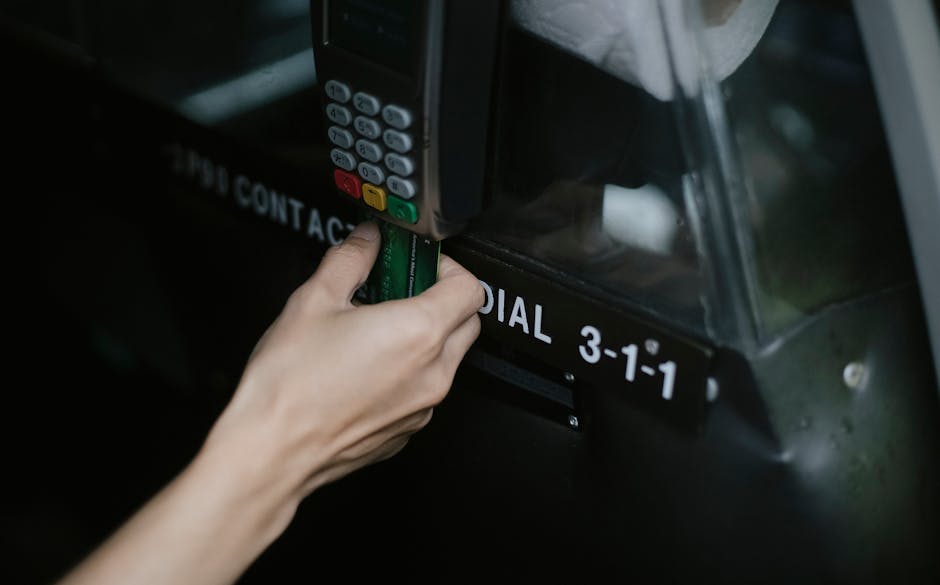
Where Suica Tap-To-Pay Works in Tokyo
In Tokyo, Suica is widely used for small, everyday payments. For convenience shopping, you mainly need to watch for the same tap-to-pay symbols you see at transit gates.
Convenience Stores That Commonly Accept Suica
Most big chains in Tokyo support Suica for quick purchases. Look for a contactless card icon near the register or payment terminal, and be ready to tap after your total is shown.
- 7-Eleven
- Lawson
- FamilyMart
- Ministop
- Kiosk (often inside and around stations)
Station Shops and Grab-and-Go Counters
Even if a shop isn’t a full convenience store, it often has a similar payment setup when it’s located inside or right next to stations. You’ll usually find a card reader near the cash register, with the Suica/PASMO contactless style marking.
Vending Machines for Drinks and Snacks
You can also use Suica at many vending machines across Tokyo—especially around stations, popular streets, and transport hubs. The machine should show a card/contactless symbol near the payment area (often close to where you would otherwise pay with cash).
How to Pay at Convenience Stores (Step by Step)
Once you’re at the register, the process is usually quick. The most common issues come from tapping too early or not holding the card still long enough.
1) Confirm the Total, Then Tap
At most stores, the clerk rings up your items first. After the total appears, place Suica on the reader.
Practical tips:
- Wait until you see the total on the screen (or hear the payment request).
- Tap firmly and keep the card in place for about a second.
- If it doesn’t beep right away, don’t immediately wave it around—pause and try again.
2) Where to Tap on the Reader
Don’t guess the whole counter. Most readers have a specific touch point—often a marked circle or a clear “tap here” area.
If you’re using a wallet, try this:
- Tap directly with Suica rather than pressing through thick phone-wallet cases.
- If nothing works, take the card out and tap again.
3) Expect a Little Cash Still to Exist
Even in 2026-era Tokyo convenience retail, some special counters or older machines may still be cash-only. If a register doesn’t show a contactless icon and the terminal isn’t available for tap payments, use cash or another payment method that’s accepted there.
Using Suica at Vending Machines
Vending machines vary, but the core pattern is consistent: select items first, then pay using the machine’s card/contactless spot.
Tap After You’ve Selected Items
A common mistake is trying to tap before the machine knows what you want. Usually you’ll:
- Choose your item (buttons/menus/display).
- Press the purchase button (or confirm).
- Then use the card/contactless reader when the machine asks for payment.
If the machine is already asking you to pay (for example, after you’ve selected), you should tap immediately at the marked area.
What to Watch for on the Machine
Look for:
- A contactless/card symbol near the payment area
- A separate slot or sensor area where you tap (not where you drop money)
- A prompt message like “Please pay” or a flashing indicator
If you see a payment slot for cash only and no contactless symbol, the machine is probably not set up for Suica.
When Taps Fail: Quick Fixes and Top-Up Basics
If Suica doesn’t go through, it’s usually one of a few things: tapping technique, balance, or the card not being read through a case.
Top Up at Stations Before You Go Out
To keep payments smooth, top up at stations using the rail system’s ticket machines. You’ll typically be able to add funds with cash or card at these machines.
A good habit:
- Top up on a travel day before you leave your hotel or before heading to your first station.
- Don’t run it down to a tiny amount—small purchases stack up fast.
Quick Troubleshooting for Failed Taps
If the reader doesn’t accept the card, try these in order:
- Hold still: tap and keep Suica in contact with the reader for about a second.
- Use the right touch point: aim for the marked area, not the whole reader.
- Remove the card from a thick wallet/case: some card cases and phone covers can block or confuse the signal.
- Wait a moment and try again: some terminals need a brief reset after a rejected tap.
If you keep failing, the most likely causes are insufficient balance or card not being read correctly (often due to shielding or incorrect tapping position).
If It Still Won’t Work, Have a Backup
You don’t want to stand at a vending machine or register while you troubleshoot for too long. If Suica repeatedly fails:
- Use cash if the shop supports it.
- Use another payment method if the terminal shows it’s available.
- Move to a nearby store or different register/machine—sometimes only one lane or one machine is having trouble.
Next Steps: Keep Suica Loaded for Easy Convenience Shopping
Before you head out, do a quick balance check in your app or on the card setup you’re using, then top up at a station so you’re not relying on late-day fixes. When you reach a store or vending machine, wait for the payment prompt, tap at the marked spot, and keep the card still for about a second. If it fails twice, switch to your backup payment right away and try a different register or machine.