

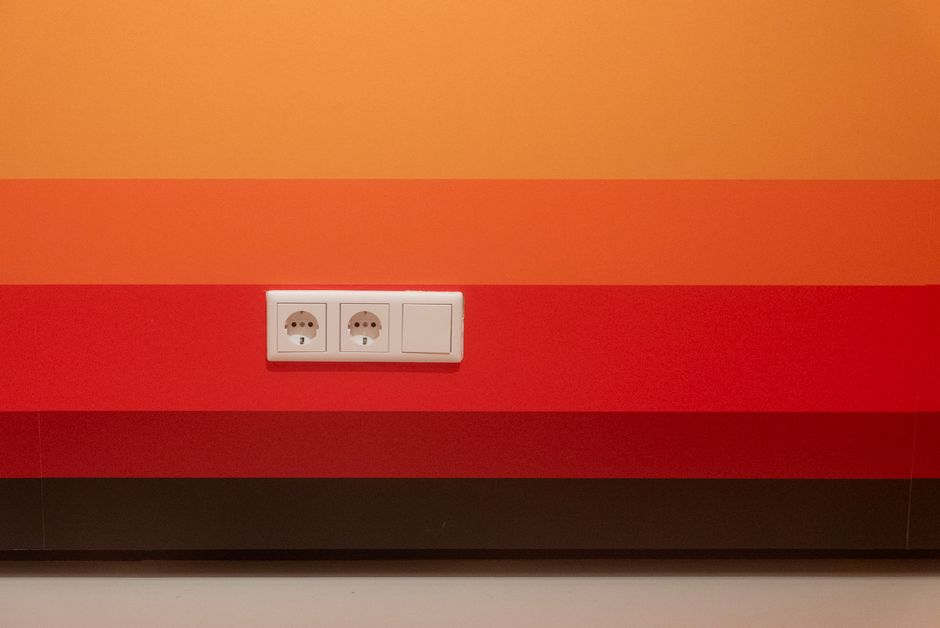
If you’re travelling in Japan with a mix of grounded appliances and USB chargers, the main risk isn’t “wrong voltage” as much as getting the plug type and safety conditions right. Japan typically uses Type A wall outlets (two flat parallel pins), with 100V power. Some locations also provide an earth (ground) connection, but you can’t assume every outlet does.
Below, you’ll find a practical way to check plug fit, confirm voltage/frequency compatibility, handle humid areas safely, and troubleshoot when an adapter simply won’t seat.
Japan Plug Basics: Type A, 100V, and 50/60Hz
What plug shape fits in most Japanese outlets
Japan commonly uses Type A outlets, designed for two flat parallel pins. That means your adapter must physically match that shape and size—no forcing, no “almost fits” situations.
In practice, you’ll see two patterns:
- Two-pin Type A sockets (most common)
- Less commonly, sockets that include an earth/ground contact (so grounded plugs may seat differently)
Voltage and frequency you should understand
Japan’s supply is typically 100V, and the electricity system runs at 50Hz or 60Hz depending on the region.
You don’t usually need to worry about frequency for chargers if your device is designed for a wide input range. Frequency matters more for certain appliances that depend on motor speed or timing.
How to confirm your device is compatible
Look for the input rating on the device, adapter, or charger label. The key items are:
- Input voltage (e.g., “100–240V” is flexible)
- Input frequency (often listed as “50/60Hz” for universal chargers)
- Power draw (important for USB chargers, especially with multiple devices)
If your device only says something like “120V” without flexibility, you should be cautious. Many modern USB chargers are universal, but not all of them are.
Using a Travel Adapter for Grounded Plugs (Earth) Safely
Grounded plugs vs Japanese outlets with no earth connection
A grounded plug (with a third earth pin, depending on your home system) is designed for safety when a socket provides an earth path. In Japan, many everyday outlets are still effectively “no-earth” for Type A usage.
That leads to two safe rules:
- If your outlet has no earth contact, using an adapter that attempts to connect earth may not work as intended.
- If your appliance relies on earth for safety (many metal-bodied appliances do), you shouldn’t defeat the ground connection with a “works by force” adapter.
When a grounded adapter is worth bringing
Bring an adapter that supports proper Type A conversion and, if possible, earth/ground transfer. However, you still need to match what the wall outlet actually offers.
If the socket only accepts two-pin Type A, you may only be able to use a two-pin configuration. Whether that’s appropriate depends on the appliance’s safety design—check the label for “Class II/double-insulated” or similar markings.
What “safe use” looks like with grounded equipment
Safety is about more than the earth pin. Even with a good adapter, you should avoid risky conditions:
- Make sure the adapter and plug sit firmly without wobbling
- Don’t use damaged cords or adapters that have a loose hinge or bent pins
- Avoid adapters that share a loose connection among multiple plugs
If you’re unsure whether an appliance should be used without earth, treat it as a “home-only” item. It’s usually not worth the gamble with items like fixed heaters or equipment with exposed metal.
USB Chargers in Japan: Compatibility, Current, and Protection
Plug shape vs electrical compatibility
For most travellers, USB charging is simpler than powering appliances. The plug adapter must still be the correct Type A fit, but the electrical compatibility is determined by your USB charger’s input.
If your USB charger says it supports 100–240V and lists 50/60Hz, then Japan’s 100V supply is within its design range. In that case, you typically only need the correct physical plug adapter—no voltage converter.
Choose USB chargers that can handle what you plug in
Even with a universal input, USB safety comes down to power delivery and protection.
Check the charger label for:
- Output wattage (sometimes listed in W)
- Whether it supports the standards your devices use
- Whether multiple ports can deliver enough power at the same time
If you use a multi-port USB hub, the charger still has one total power budget. Overloading a low-wattage charger can lead to slow charging or inconsistent power.
How to spot unsafe charging setups
You’ll avoid problems by watching for warning signs:
- The plug feels loose or intermittently disconnects
- The charger casing gets unusually hot
- You see or smell scorching, even briefly
- USB ports don’t stay seated firmly
When charging multiple devices, prefer a charger made for that purpose rather than daisy-chaining adapters.
Safe Handling in Humid Spaces (Baths, Kitchens, Laundries)
Moisture is the real enemy, not just the outlet type
Japan has bathrooms and wash areas where water splashes can happen, and hotel or rental layouts can place outlets close to sinks. Humidity increases the risk if connectors get wet.
A grounded plug doesn’t cancel out moisture risk. If water reaches the adapter body, you can still get a hazardous situation.
Keep adapters and connectors away from splash zones
When you need to charge in or near wet areas, treat the plug and adapter like electrical components that must stay dry.
The safe approach:
- Route cables so they don’t hang over sinks or tubs
- Don’t place the adapter on damp surfaces (including counter edges where water gathers)
- Use a dry, stable surface for the charger brick and keep the connection points elevated
What to do if you feel condensation or water exposure
If you notice wetness on the plug area or you suspect condensation:
- Unplug only if the area around the plug is dry and you can safely remove it
- Let everything dry fully before replugging
- If the adapter or cable looks discoloured, warped, or smells burnt, stop using it
Avoid “quick drying” with heat sources that can damage plastics. Air drying is usually safer.
When the Outlet Won’t Accept Your Adapter
Common reasons the plug won’t seat
If an outlet rejects your adapter, it’s often one of these:
- The adapter is meant for a different plug standard (pin spacing or pin width mismatch)
- The adapter pins are slightly misaligned due to a loose hinge or worn contacts
- You’re trying to use a grounded/earth pin configuration in an outlet that only supports two-pin Type A
- The outlet is recessed or damaged, making it harder to fully seat the plug
Don’t force a connection
Forcing is where things go wrong—bent pins, stressed springs, and partial contact increase heating risk.
If your plug doesn’t seat easily:
- Check the adapter pins for straightness and clean contact surfaces
- Try a different wall outlet in the same room (if available)
- Rotate to confirm you’re using the correct orientation (some adapters have keyed designs)
If you can’t get power: your safe next move
Sometimes the “fix” is simply changing equipment rather than fighting the wall socket.
Choose the safe fallback based on what you’re trying to power:
- For USB charging: try a different plug adapter that clearly matches Type A and has solid pin grip
- For a grounded appliance: consider using a version of the appliance that doesn’t depend on earth (for example, double-insulated/“Class II” items)
- For complex appliances: use them only with the right compatibility and avoid improvised converters
Safety checklist before you plug in
Use this quick routine every time you connect in Japan—especially in tight hotel spaces:
- Confirm the device/charger label supports 100V (and ideally 100–240V) before you rely on the adapter.
- Ensure your adapter is built for Type A and matches pin size and spacing.
- Inspect pins, springs, and the adapter body for looseness or visible wear.
- Keep hands and the plug area dry; never place adapters on wet counters.
- Push until fully seated, but never force a plug that doesn’t fit smoothly.
- Avoid overloading: don’t run high-power appliances through tiny multi-adapter stacks.
- If anything heats up, sparks, or smells wrong, unplug and stop using that adapter.
Final Steps: Set Up Your Charging Safely
Before your first full-power device connects, test with a low-risk item (a phone USB charger) to confirm the adapter seats correctly. Then re-check the appliance label for voltage compatibility and decide whether the device is safe to use without an earth connection.
If an outlet keeps rejecting your adapter, switch to a Type A–compatible adapter or use a different charger setup rather than trying to force the connection.