

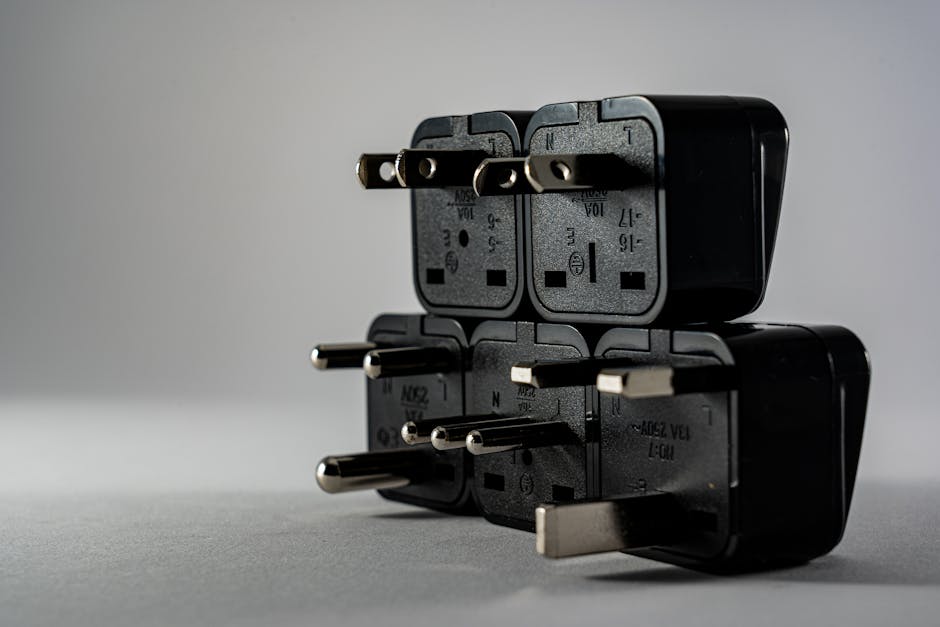
If you are travelling through Europe, a travel adapter is mostly about plug shape—yet overheating usually comes from the power side. Before you plug anything in, you want to confirm that your devices (and the chargers you use with them) can handle Europe’s electrical supply and the adapter’s own limits.
Europe basics: why voltage matters more than the plug shape
Europe runs on 230V (50Hz)
Most of Europe uses 230V at 50Hz. That matters because adapters are not voltage converters: they do not “change” voltage. If your device needs a different voltage, it will overheat or shut down—or, in the worst case, it can be damaged.
Modern chargers often handle multiple voltages
Many phone chargers, laptop chargers, and some camera chargers are designed for 100–240V input. If yours says something like “Input: 100–240V, 50/60Hz,” you can usually use a plug adapter safely in Europe.
When you do need voltage conversion
You typically need more than a plug adapter if a device label says it only accepts something like 100–120V (common for hair styling tools bought for North America). In that case, you need a voltage converter/transformer sized for the device’s power needs—otherwise it may draw too much current and run hot.
Read the labels: the checks that prevent heat and damage
Confirm the input voltage on each charger
Start with the label on the device charger brick or the device itself (for devices with built-in charging electronics). Look for:
- Input range (ideally 100–240V)
- Frequency (50/60Hz usually covered)
- Wattage and/or current rating
If the input is limited to a lower voltage, treat the device as “not Europe-ready” unless it has a dual-voltage spec.
Match watts to what your adapter and charger can deliver
Overheating often happens when power exceeds the adapter or the charger’s design limits. Pay attention to:
- Your device’s power draw (watts)
- Your charger’s output power (watts), especially with USB
- The total power rating of any multi-port adapter or travel power strip
A travel adapter can look “fine” while still being overloaded internally. If it gets warm at the plug connection, stop using it.
Watch for loose-fit and contact resistance
Heat is also a contact problem. A plug that feels slightly loose, a partially inserted connector, or a worn adapter can increase resistance at the contact points and generate heat. In practice, overheating concerns grow when you:
- Use a cheap adapter with thin pins
- Pull chargers frequently in and out
- Plug and unplug in tight hotel sockets
USB charging in Europe: power delivery without cooking things
Use a charger that supports the right USB mode (and enough watts)
For phones and tablets, you’ll often be using USB-C Power Delivery (PD) or Quick Charge–style systems (brand terms vary). A key safety point is that the charger decides what it supplies, but your device decides what it requests—within the negotiated range.
If your charger is underpowered, it can run hotter trying to push current, or your device may charge slowly in a way that makes you think something is “working” while it’s stressing the electronics.
Add up the ports: total output matters
Multi-port USB chargers are convenient, but they have a total maximum output. If you plug in a laptop and a tablet and the total draw exceeds the charger’s rated limit, one or more ports may throttle, reduce power, or behave unpredictably.
Avoid chaining adapters and extension cords
A common overheating pattern is “stacking” equipment:
- wall socket → travel adapter → power strip → USB hub → charger
Each added interface introduces a connection point and heat source. If you need multiple outputs, choose one well-rated device (for example, a single quality multi-port charger) instead of building a chain.
High-power devices: the adapters that can’t safely “just work”
Hair dryers, kettles, and some kitchen gadgets need special handling
Heating devices are where you feel the difference between plug adapters and voltage converters. Hair dryers and electric kettles draw a lot of power (often far more than phones). If your device is not dual-voltage, it may:
- run at the wrong voltage
- draw excessive current
- overheat the device or the converter
Check dual-voltage support before packing
Look for a label like “100–240V” on the device. If it is dual-voltage, you may only need a plug adapter. If it is single-voltage, plan for conversion equipment sized for the wattage.
Use the right type of converter (size and surge capability)
Not all converters are equal. A converter that is only “big enough” on paper can still struggle with devices that have a starting surge (some heating elements and motors do). The safe approach is to choose a converter rated comfortably for the device’s typical wattage, and avoid running multiple high-power appliances at once.
Build a safe charging setup in European hotels
Keep heat away from connections and charge on hard surfaces
Even with correct voltage and watts, heat builds faster when airflow is blocked. A safe routine:
- Place chargers and bricks where there’s space around them
- Avoid covering the charger with fabric or placing it under pillows/bedding
- Use the adapter directly in the wall when possible, not halfway inserted or on an angle
Use quality adapters and certified chargers
A travel adapter that’s poorly made can fail early. Choose an adapter that clearly indicates its rating and supports the countries you are visiting. For charging, prefer brand-name chargers or chargers with reputable safety certifications.
Treat warmth as a warning sign
Some chargers get slightly warm under load; that’s normal. What is not normal is:
- the plug area feels hot to the touch
- the adapter casing is noticeably warm
- you smell a “hot plastic/electrical” odour
If any of those happen, stop charging immediately, unplug carefully, let everything cool, and re-check the voltage/wattage compatibility.
Practical packing checklist (what to bring)
- A plug adapter that fits the outlet types you’ll actually use
- A dual-voltage check for each charger brick (ideally 100–240V)
- A multi-port USB charger with enough total watts for your devices
- Spare USB cables in good condition (damaged cables can overheat)
- A plan for high-power devices: dual-voltage tools or a properly rated converter
- A spare adapter option if you rely on a single charger setup for work
Next steps: set up once, then charge calmly
Before you land, list each device and charger, then check the input voltage on the charger labels and the wattage/USB output on the chargers. When you arrive, test one low-stakes device first and check that the adapter stays only slightly warm—or not warm at all—under use.
If you are travelling with hair tools or kettles, confirm dual-voltage status before packing anything that only works on a different voltage.